
Knowledge/Answer
Senior-led answer · Methodology
What Copilot concretely brings in Business Central, without the magic markup
Concrete value in routine work, soberly described, on a clean data foundation.
Contents
Your question in detail?
A senior-led conversation gets to the heart of your situation.
Related service
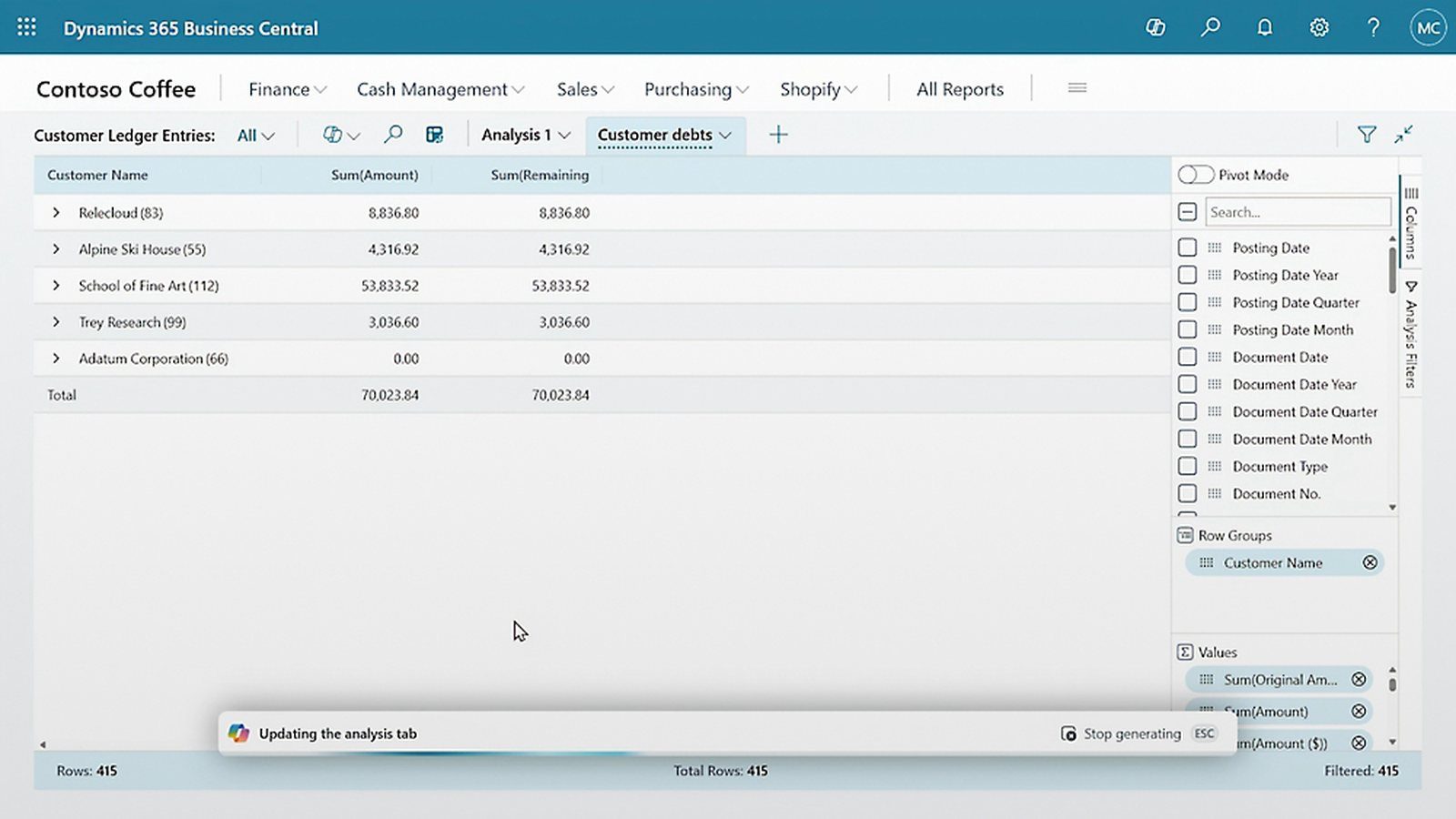
Copilot in Business Central takes recurring busywork off you: it suggests values during document entry, flags unusual postings and assists with repeating inputs. The value is concrete and sober, but it arises only on a clean data foundation, not from the feature alone.
Which three fields of use are concrete today?
- Document assistance. When capturing incoming documents, Copilot suggests account, dimension and assignment, learned from your previous postings. The time saving lies in the pre-fill, the decision stays with the clerk. Precondition: consistent account assignment in the history, otherwise the assistant learns your mess along with it.
- Anomaly detection. Copilot flags postings and values that fall outside the norm, such as an unusual amount for a vendor or an atypical dimension. This is not a substitute for auditing, but an early warning that makes errors visible before the month-end close.
- Recurring entry. For repeating transactions, similar orders, regular documents, Copilot takes over the routine and presents the suggestion. The human confirms or corrects. The effect is greatest with a high share of repetition and stable master data.
A marginal benefit, not a reason to buy: for item descriptions Copilot generates text drafts. Useful as a starting point, not as a final state.
Why is clean data a precondition, not a nice-to-have?
Each of these examples gets better the cleaner the master data and document flows are, and worse when they are not. Copilot multiplies the basis, in both directions. That is why the right sequence is: mature the data foundation, then switch on Copilot.
For the document assistance that means something concrete: it learns from your previous postings. If those were posted inconsistently, it proposes inconsistently, and the effort of checking rises rather than falls. The benefit therefore does not hang on the feature but on the consistency of your history.
You can test this without a project: take a hundred documents from one vendor from the past year and see whether the account, the dimension and the assignment were set consistently throughout. If not, the order of work is clear. Microsoft notes that Copilot works on your existing company data.
Source: Microsoft Learn: Copilot FAQ
How does Copilot differ from automation?
Automation carries out a defined workflow rule-based. Copilot suggests and assists, with control in human hands. Both need the same basis, but Copilot does not replace process design.
The difference matters in practice, because it shifts the responsibility. With automation you own the rule; with Copilot you own the confirmation. Both remain your decision, but it falls at different points and needs different controls.
From that follows a simple rule of thumb for the selection: processes with clear rules and high volume belong in automation, processes with room for judgement belong in assistance. Whoever automates judgement gets errors in series, and whoever merely assists routine work gives away the effect.
If you want to know which of your processes is already clean enough for Copilot today, we look at it in conversation. Control stays on your side, with Business Central as our home ground.
“
Copilot multiplies your data foundation, in both directions. That is why the right sequence is: first mature the data, then switch on Copilot.
Frank Maier, founder of DGP
Frequently asked questions
Briefly asked
What does Copilot concretely bring in Business Central?
It suggests values during document entry, detects unusual postings and assists with recurring inputs. Concrete relief in routine work, with the decision staying with people.
Do we need particularly clean data for Copilot?
Yes. Copilot learns from your history and your master data. If the basis is clean, the suggestions are good. If it is not, the assistant learns the errors along with it.
Does Copilot replace process automation?
No. Automation carries out a defined workflow rule-based, Copilot suggests and assists with control in human hands. Both need a clean data foundation.
Related
Related questions
Knowledge · AI in Business Central
What does Copilot cost in Business Central?
Licence, credits and the cost block that rarely appears in offers: the honest cost picture for AI in the ERP.
18.08.2026
Read →Knowledge · AI in Business Central
AI in Business Central: what really works, and what stays hype
AI in Business Central works on your data foundation, not in its place.
03.08.2026
Read →Knowledge · AI in Business Central
How does AI change the effort of a Business Central project?
The effort does not disappear, it shifts towards control.
03.08.2026
Read →Where does your project really stand?
Talk to a senior, not to a sales rep.