
What Business Central can do, and where it has limits.
The honest functional overview: what the standard covers, how international structures are represented and where targeted extensions are needed. Based on the Microsoft documentation.
Discuss your requirementsOne system for the whole company, with a role-based interface.
Business Central covers finance, purchasing, sales, warehouse, light manufacturing, projects and service in the standard, including consolidation, intercompany and over 40 country localisations. It is cloud-based, continuously current and with Copilot directly in the system. The limits show up in complex detailed planning (APS), very deep industry functionality and enterprise scale. There, targeted extensions and a clean data foundation decide, not the product alone.
Business Central brings together the core processes of a mid-sized company in one data foundation. Every user starts in their Role Center, with the metrics, tasks and actions that belong to their work. Below we show what the standard covers per area, which editions exist and where it is extended in a targeted way.
This is what the workspace looks like.
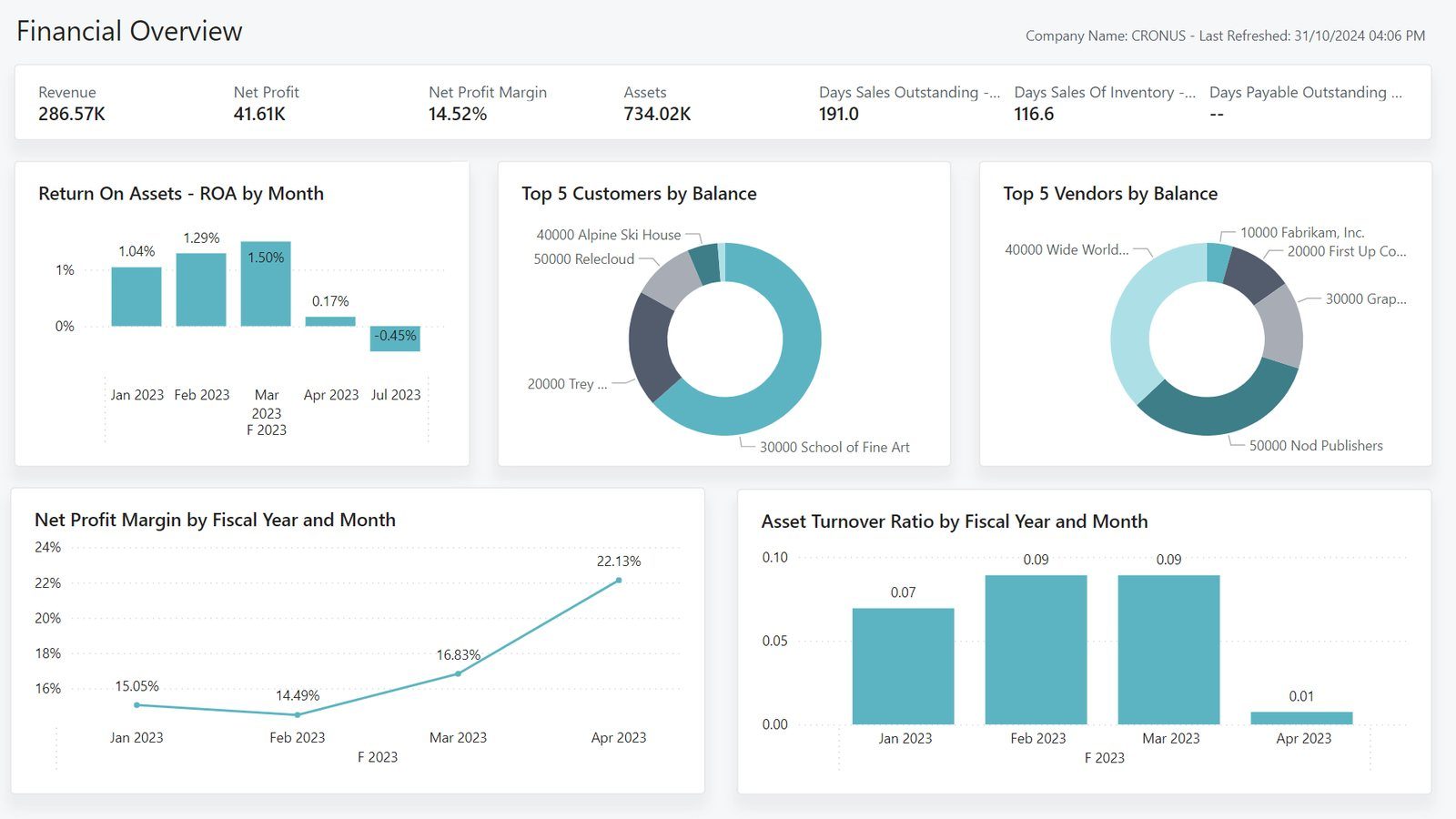
The Role Center is the home page: metrics, open tasks and a look at the numbers, without a report export.
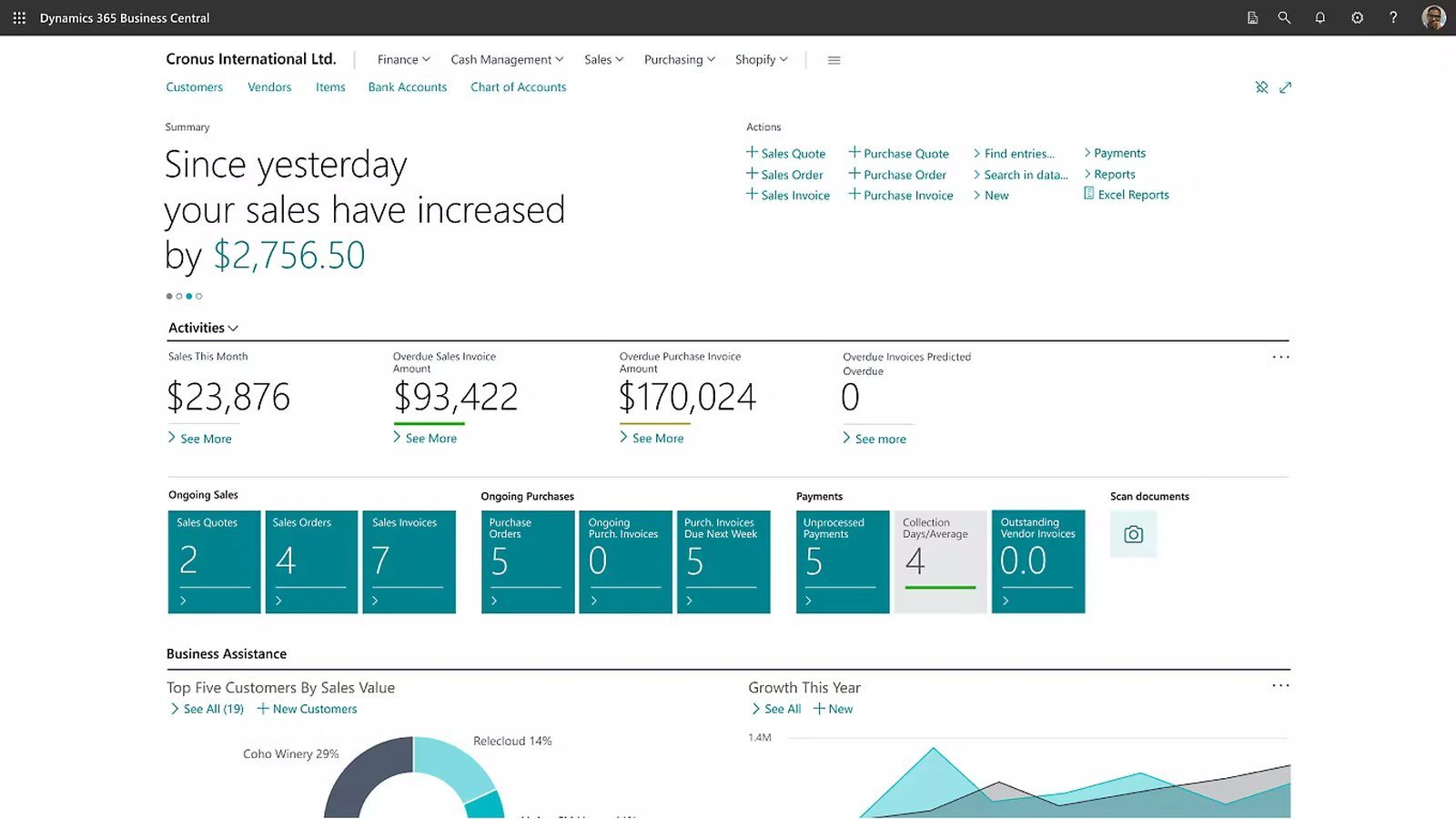
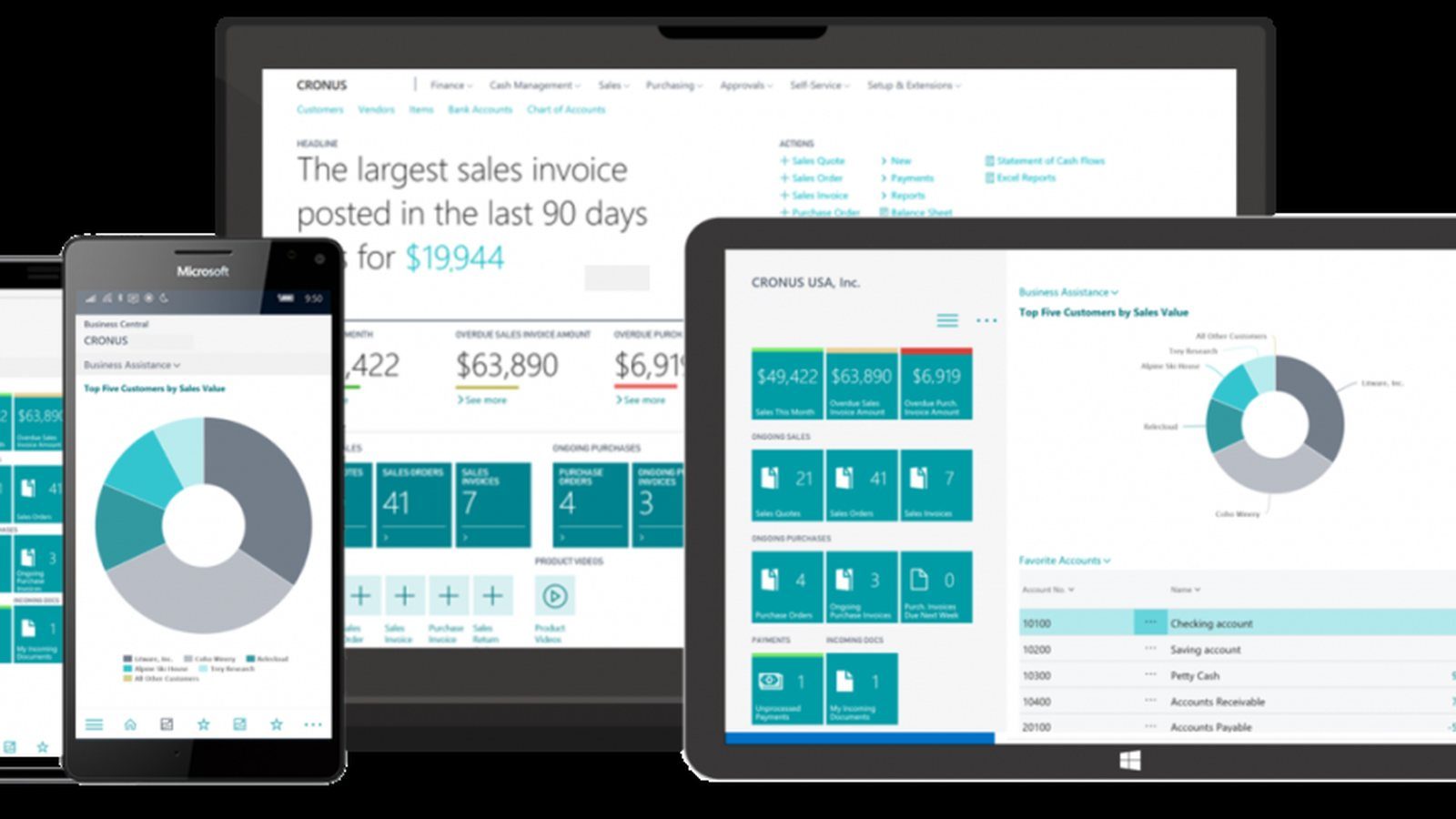

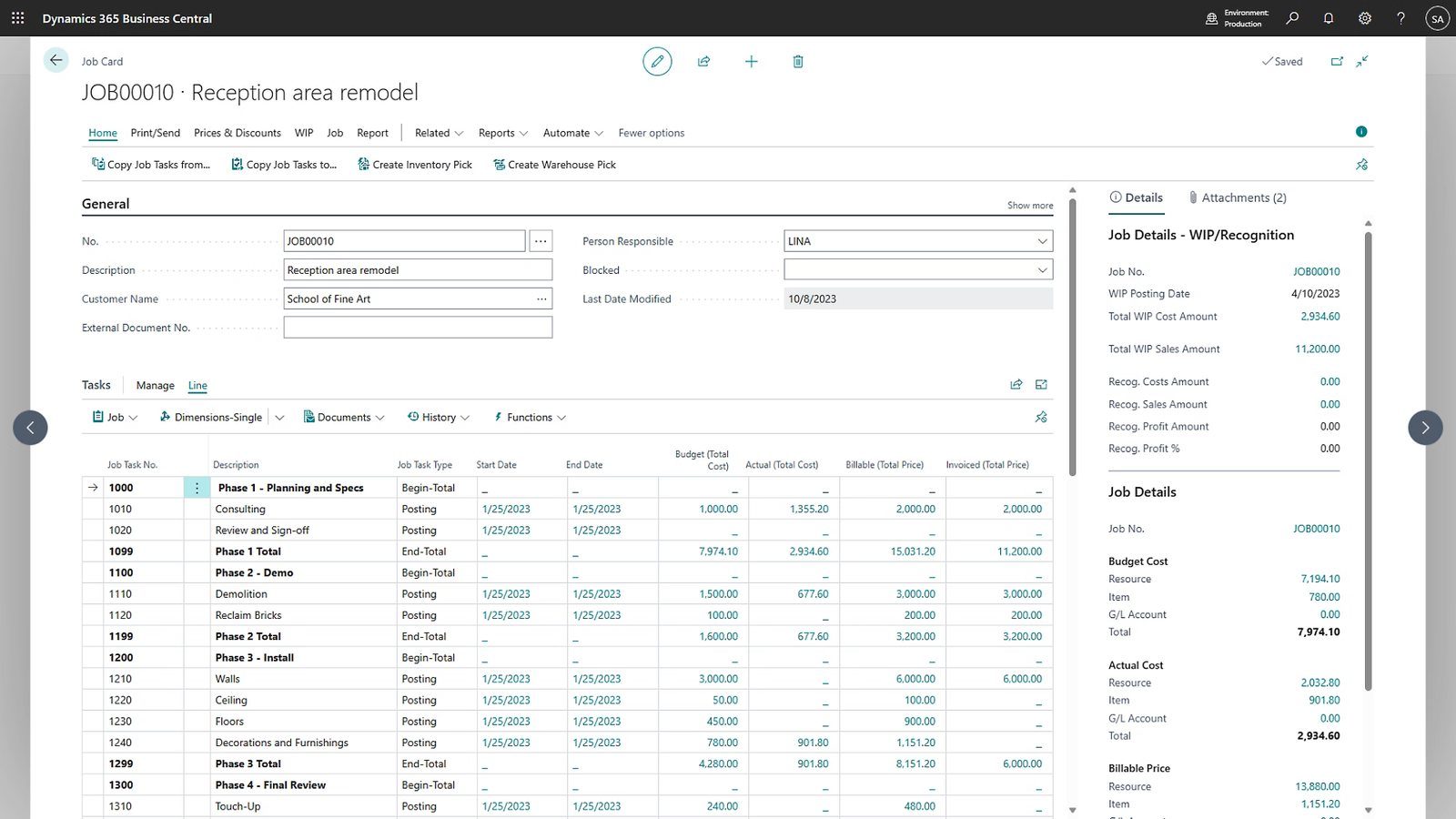
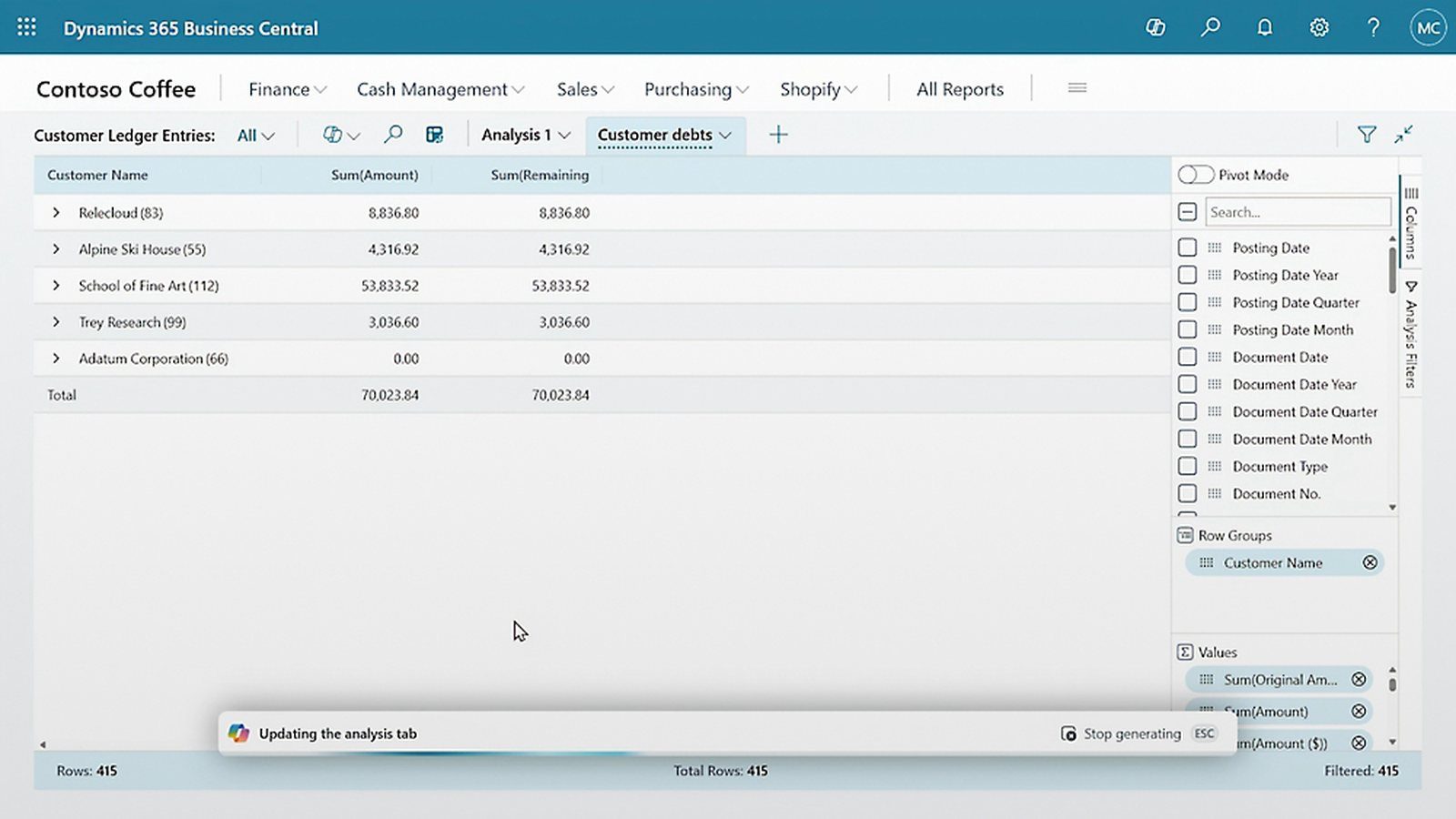
One system, all core processes.
Instead of stitching together point solutions, the areas come together on a shared data foundation.
Finance
General ledger, receivables, payables, fixed assets, cost accounting, consolidation, e-invoicing.
Sales
Quote to invoice, core CRM functions, prices and discounts, Shopify connector.
Purchasing & SCM
Purchase orders, demand planning, vendor rating, order processing.
Warehouse
Inventory, zones, picking and put-away, directed put-away and pick.
Manufacturing
Bills of material, routings, capacities, assembly and make-to-order.
Projects
Job orders, resources, time tracking and project profitability.
Service
Service items, service contracts, dispatch and resource planning.
Reporting
Financial reporting, analysis modes, Excel layouts and Power BI apps with drill-back.
Finance that records the flow of value cleanly.
From document to close in one flow: general ledger, receivables and payables, fixed assets and cost accounting interlock. Analysis runs directly on the data foundation, with no export step.
Copilot supports bank reconciliation, e-invoicing runs via the E-Documents framework (PEPPOL). Consolidation and multi-currency support multiple entities.
- General ledger, receivables, payables, fixed assets
- Cost accounting, cash flow, budgets
- Financial reporting and Power BI apps
- Bank reconciliation with Copilot
- E-invoicing via PEPPOL
- Consolidation of several entities
From purchase order to delivery.
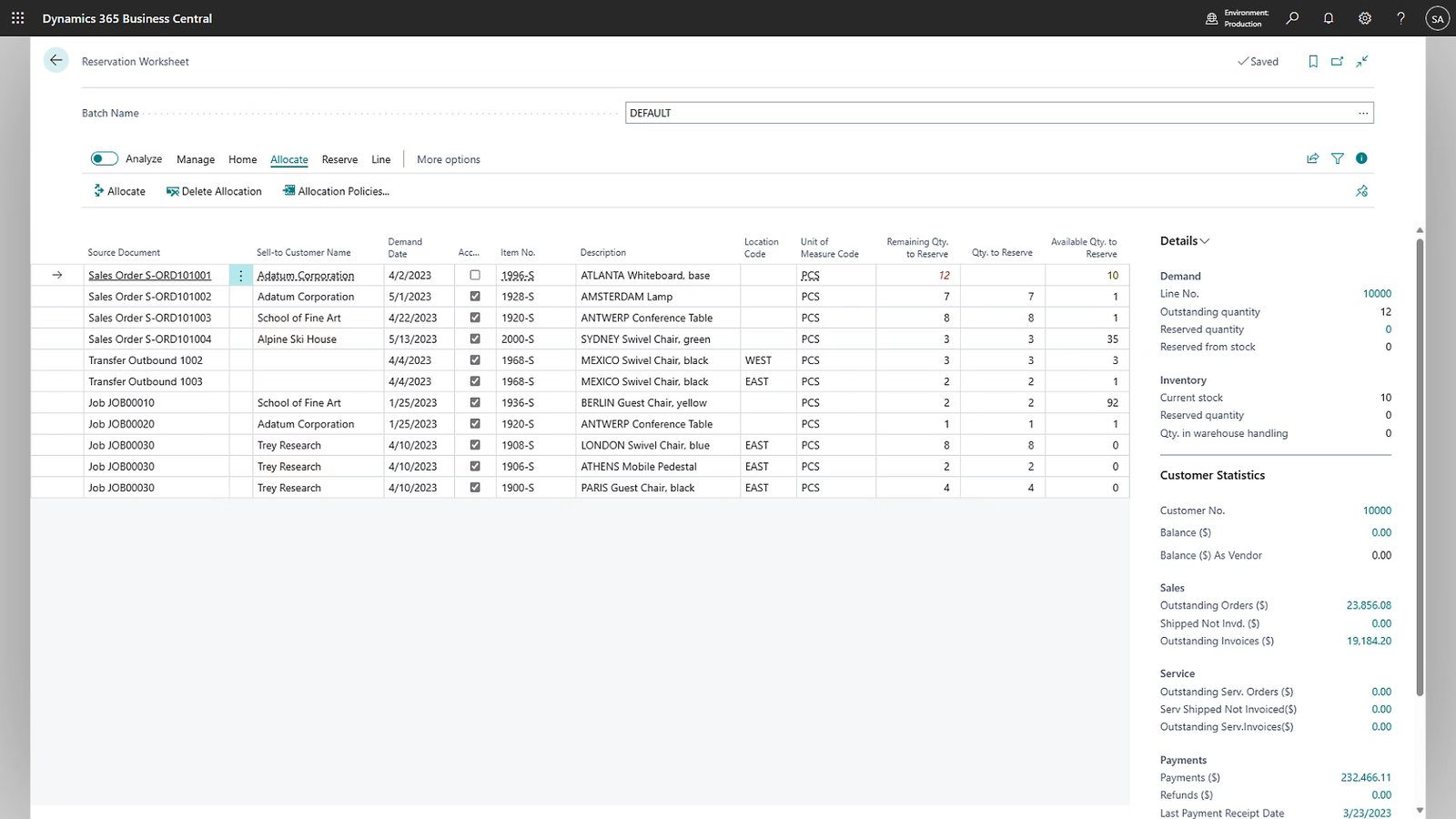
Purchasing, sales, warehouse and demand planning map the supply chain in one flow. Stock, documents and dates stay transparent, instead of sitting in separate tools.
In manufacturing, bills of material, routings, capacities and assembly orders support discrete and light production. Copilot can suggest order lines from the context.
- Purchasing, sales, order processing
- Warehouse, inventory, demand planning
- Bills of material, routings, capacities
- Assembly and make-to-order
- Warehousing with directed storage (Premium)
- Copilot suggestions in documents
Essentials, Premium and the right licence per role.
Business Central is licensed per named user and month. Two full editions, plus cheaper roles for occasional use.
Essentials
- Finance, sales, purchasing
- Warehouse and projects
- Power BI, dimensions, consolidation
Premium
- Everything from Essentials
- Manufacturing and production
- Service order management
Team Members
- Read across the whole system
- Enter own time and documents
- Simple approvals
Device
- One device, several users
- For shop floor and warehouse
- No person-bound access
In our experience, the licence is the smallest cost in the project. The larger part comes from consulting, data migration and interfaces. What a BC implementation really costs →
More than ERP in the cloud.
Business Central is cloud-first (also available on-premises), runs as SaaS with two release waves per year and is deeply embedded in the Microsoft ecosystem.
Microsoft 365
Work in Outlook, Excel and Teams, with Business Central data directly in the familiar tool.
Power Platform
Power BI, Power Automate and Power Apps for analysis, automation and custom interfaces.
Copilot & Agents
AI directly in the system, from assistance to autonomous agents. Details on the Agents page.
Dataverse
Four integration paths connect the data foundation with the rest of the Microsoft ecosystem.
AppSource
Validated extensions for industries and special cases, clean, without touching the core.
Security & operation
Operation, backup and availability by Microsoft, with continuous updates and no separate release project.
Several countries, several entities.
From a CFO perspective, what counts is a structure that consolidates and still stays locally correct.
Localisations
Over 40 Microsoft-maintained country localisations, more via partners. Available in almost all regions.
IC & consolidation
Built-in intercompany transactions and consolidation of subsidiaries, also across separate environments, with exchange rates per consolidation.
Dimensions & currency
Dimensions as the primary tool for cross-entity reporting, full multi-currency capability, rollup into the group currency.
Platform limit: a maximum of 300 companies per environment, above that it is distributed across several environments. More on international rollouts →
Business Central covers most of it in the standard. What matters is how cleanly you extend where the standard is not enough.
Where the standard runs out, and what matters then.
- 1Complex detailed planning ExtensionFor real detailed planning (APS), multi-level bottlenecks and alternative resources, an APS extension from AppSource is usually needed. Discrete and light assembly production is carried by the standard.
- 2Deep manufacturing versus SAP LimitFor heavily constrained or process-based manufacturing at SAP level, Business Central is not the right fit. We say that upfront, not after project start.
- 3Enterprise scale Platform limitHard limits apply: database up to 3 TB, 300 companies per environment, API throughput per user is capped. For enterprise complexity at the very top, Dynamics 365 Finance & Supply Chain or SAP are the target.
- 4Industry depth ISV add-onVery deep industry functionality usually comes via ISV add-ons. They close gaps, but bring their own costs, update dependency and integration effort. We plan for that openly.
Extensions stay outside the core.
Business Central is extended via the AL language. The standard core stays unchanged, everything runs through extensions. That disciplines customisations and keeps you upgradeable. This architecture is what keeps your data foundation clean.
- AL extensions instead of changes to the core
- Per-tenant extensions or validated AppSource apps
- REST API and OData v4 for integrations
- Four paths to Dataverse: sync, virtual tables, API, dual-write
- Upgradeable, because the core stays untouched
What is asked about the product.
Essentials or Premium, what do we need?
Essentials covers finance, sales, purchasing, warehouse and projects. Premium adds production and service order management. Those who manufacture themselves or handle service jobs need Premium, everyone else usually gets by with Essentials.
Cloud or on-premises?
Business Central is cloud-first as SaaS, with operation, updates and security by Microsoft. On-premises is still possible, but shifts operation and updating to you. For most organisations the cloud is the calmer path.
What does Business Central cost?
The licence runs per named user and month and is the smallest, most predictable block. The real costs lie in consulting, data migration and interfaces. We go through the effort blocks with you upfront.
Can Business Central handle complex manufacturing?
In large part yes: multi-level bills of material, operations, capacities and make-to-order. With heavy variant configuration and real detailed planning, targeted extensions are needed, whose costs we plan for openly.
In how many countries is Business Central available?
There are over 40 Microsoft-maintained localisations, more via partners, and availability in almost all regions. Every country brings its own tax and reporting logic, which belongs cleanly separated.
Is Business Central enterprise-capable?
Up to the upper mid-market yes. For very large, deeply constrained enterprise scenarios, Dynamics 365 Finance & Supply Chain or SAP are a better fit. We assess suitability honestly upfront.
Experience from over 25 years of ERP projects.


Will Business Central support your requirements?
Before you buy an add-on: let us check your requirements. Senior-led, honestly assessed.
Arrange a conversation